FBX2SPINE - 3D Mocap to 2D Animation Transfer Tool game banner

FBX2SPINE - 3D Mocap to 2D Animation Transfer Tool

$19.99
Release Date:
Developer:
LizardWish
Publisher:
LizardWish
Platforms:
Windows
Download Game

Game Tags

About This Game

IMPORTANT ! FBX2Spine supports Spine 4 Essential and Pro and up
YOU DON'T NEED SPINE PRO! it works perfectly with SPINE ESSENTIALS!

EASY 2D ANIMATION

Use FBX2Spine to easily add mocap animations to your 'Esoteric software - Spine 2d' projects.

For example, you found a nice FBX mocap animation and you want to transfer it to your character created in Spine, or you want to transfer your 3D FBX animation that you created with Microsoft Kinect and Brekel to your 2d character in your game.

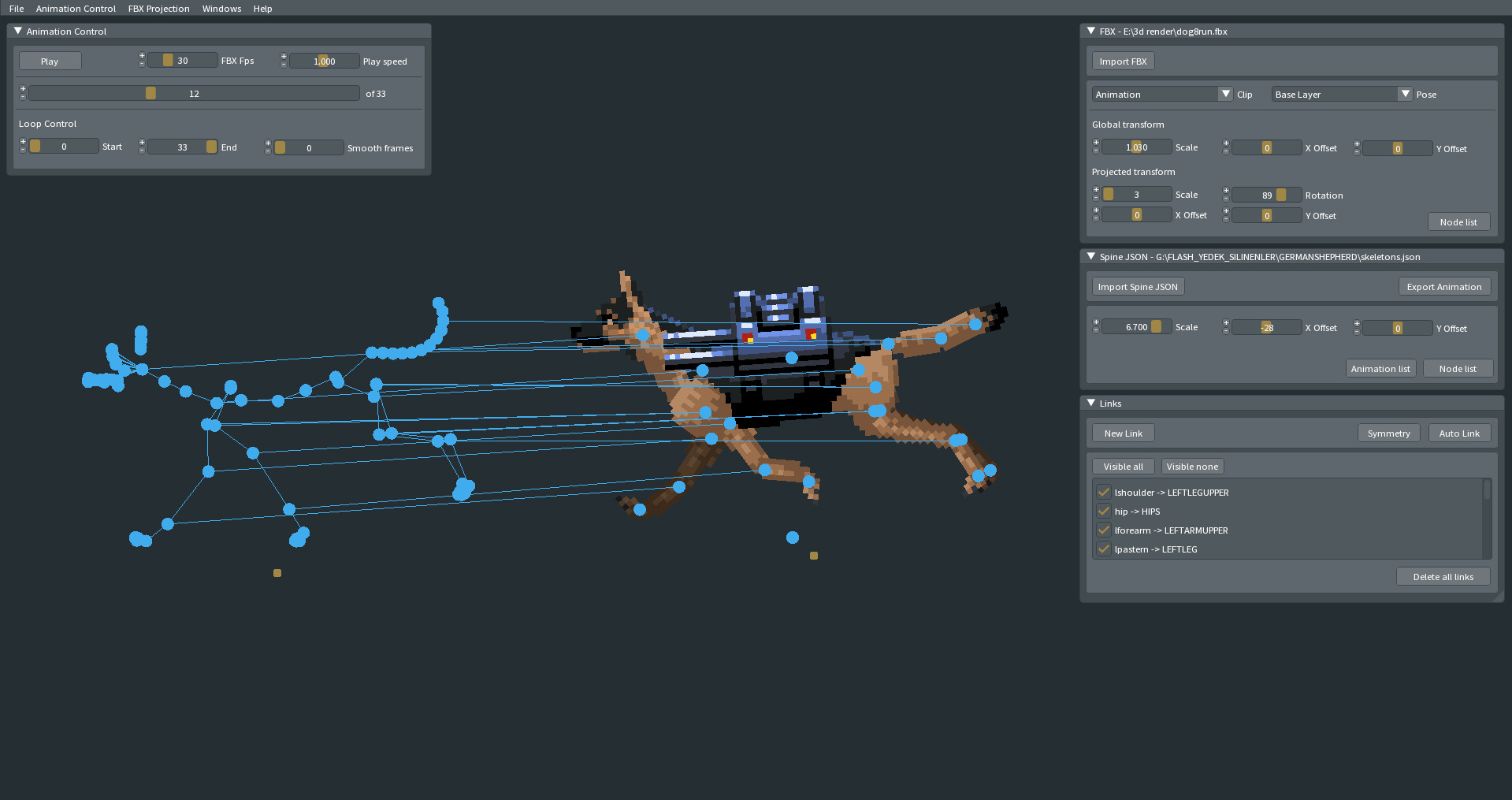
All you have to do is import your Spine project and FBX mocap skeleton animation into FBX2SPINE. Link the skeletal system and export the animation to Spine.

It works with all FBX (animals, monsters, human etc.) Because it can link any bones and get any data from FBX Bones and transfers data to Spine Bones.

You can open and edit the animations you created with FBX2Spine in the Spine application later.

HOW IT WORKS?

Find a FBX Mocap animation;


Link FBX bones to Spine bones;


Export your new animation to Spine character;


Import to SPINE

Screenshots

User Reviews

Mostly Positive
4 user reviews
75%
Positive
1 hrs at review
Recommended

can you add support so you can import unity skelton bones instead of spine you need a 330$ software to use. cool idea

9 helpful
7 min at review
Not Recommended

Im a huge fan of the idea but the software you need to even use it is expensive so it make it sorta unusable, do u ever plan on adding unity bone support because I really cannot even use this at all to be honest :C

3 helpful

System Requirements

Minimum

Minimum:
  • Requires a 64-bit processor and operating system
  • OS: Windows 10
  • Processor: Intel i5
  • Memory: 4096 MB RAM
  • Graphics: Onboard
  • DirectX: Version 11
  • Storage: 50 MB available space

Recommended

Recommended:
  • Requires a 64-bit processor and operating system
  • OS: Windows 10
  • Processor: Intel i5
  • Memory: 8192 MB RAM
  • Graphics: GTX 1050 TI
  • DirectX: Version 11
  • Storage: 50 MB available space

FAQ

How much does FBX2SPINE - 3D Mocap to 2D Animation Transfer Tool cost?

FBX2SPINE - 3D Mocap to 2D Animation Transfer Tool costs $19.99.

What are the system requirements for FBX2SPINE - 3D Mocap to 2D Animation Transfer Tool?

Minimum: Minimum: Requires a 64-bit processor and operating system OS: Windows 10 Processor: Intel i5 Memory: 4096 MB RAM Graphics: Onboard DirectX: Version 11 Storage: 50 MB available space Recommended: Recommended: Requires a 64-bit processor and operating system OS: Windows 10 Processor: Intel i5 Memory: 8192 MB RAM Graphics: GTX 1050 TI DirectX: Version 11 Storage: 50 MB available space

What platforms is FBX2SPINE - 3D Mocap to 2D Animation Transfer Tool available on?

FBX2SPINE - 3D Mocap to 2D Animation Transfer Tool is available on Windows PC.

Is FBX2SPINE - 3D Mocap to 2D Animation Transfer Tool worth buying?

FBX2SPINE - 3D Mocap to 2D Animation Transfer Tool has 75% positive reviews from 4 players.

When was FBX2SPINE - 3D Mocap to 2D Animation Transfer Tool released?

FBX2SPINE - 3D Mocap to 2D Animation Transfer Tool was released on Jul 2, 2023.

Similar Games

AI-powered recommendations based on game description