I am a Jr in Electrical Engineering so I’ve been exposed to many of the concepts that are currently available in this application/utility. In the current version, it is really just a visual aid on about ~2 dozen concepts used in complex algebra, calculus, trig, etc. They picked some good examples, but I feel like the software lacks core functionality, like being able to save your workspace for example (what is the point of a pen if not). It becomes impossible to grab the data points/objects on the screen if you take the data points to their maximum on the plane and release the button. Aliasing is terrible in this app and I even tried to force AA. Every time the game says the “red” object, it means the black one. You should be able to pull up multiple modules at once and compare multiple parameters. You should be able to zoom in and make the modules bigger/smaller. I feel like the idea is excellent and with time and with more development it could offer some really insightful ex...
Game Tags
About This Game
https://www.youtube.com/watch?v=L-S7nP-ojqo&list=PLjQh_Yi8CoBzW3k1QavOOaseD7XeN_xK_
Ever wanted to learn vector calculus?
See some crazy parametrized functions?
Did newton invent or discover calculus? Are we living in a simulation?
These are all questions this VR experience may be able to answer.
Calcflow is here. Open your mind to mathematics.
Explore the secrets to the universe.
Everything starts with the math.
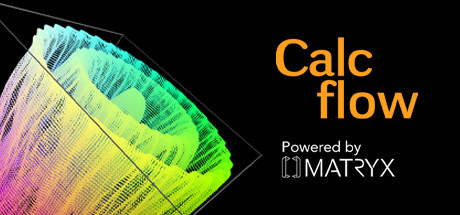
Calcflow features intuitive ways you can learn the foundations of vector calculus.
You can finally explain the complexities of vector calculus to your friend!
Manipulate vectors with your hands, explore vector addition and cross product.
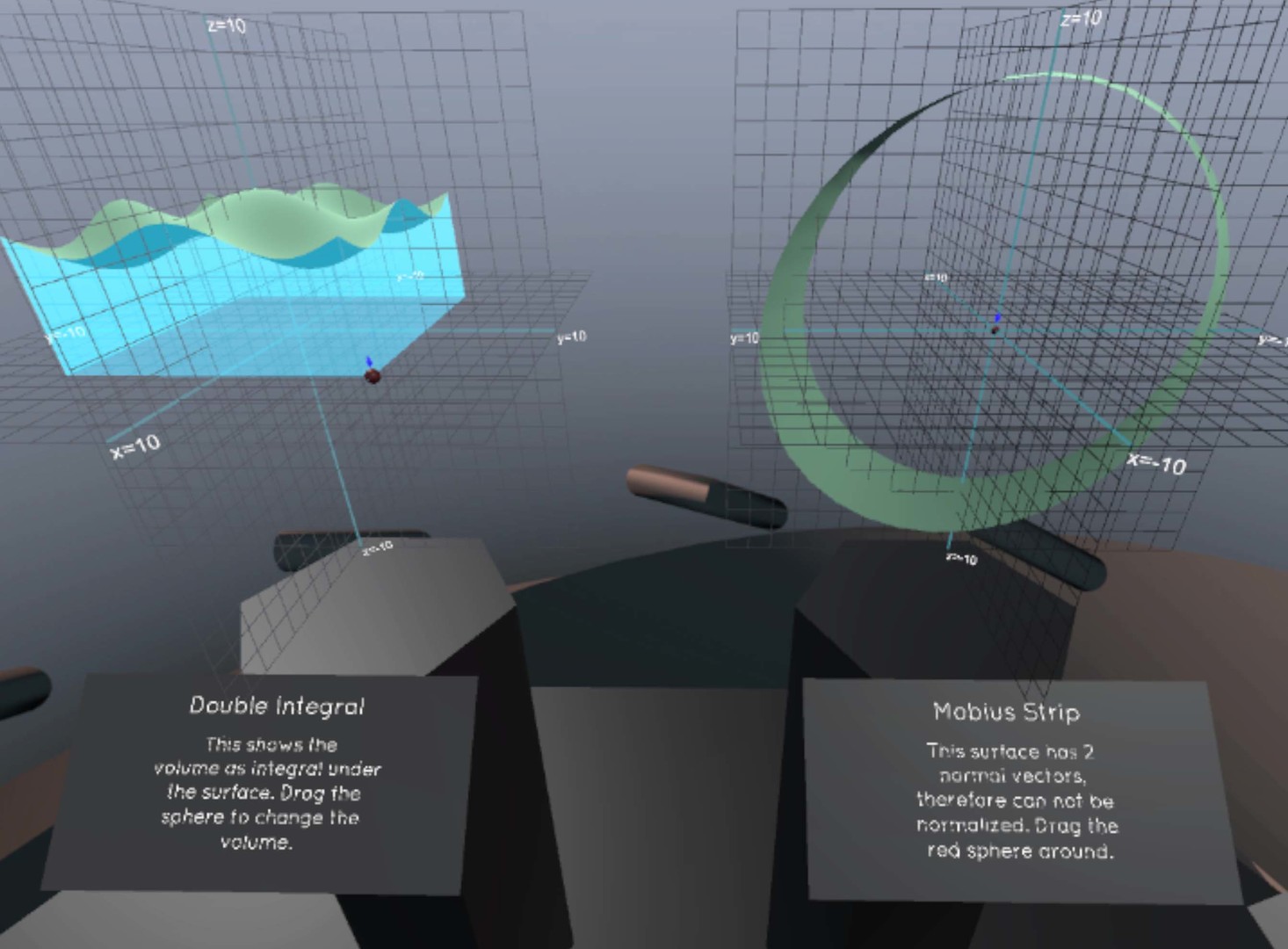
See and feel a double integral of a sinusoidal graph in 3D, a mobius strip and it's normal, and spherical coordinates!
Create your own parametrized function and vector field! Don't worry, if these mean like crazy mumbo jumbo, you can always explore some of our awesome presets and sample problems!
You can also create your own notes while you're exploring these amazing mathematical properties! Simply push the track pad and write away in 2D or 3D!
Screenshots
User Reviews
Being able to interact with a mathematical construct and see it change with different parameters and being able to annotate. This is literally another dimension from just playing with plotting on a screen, it's being IN a mathematical universe. Can't wait for more content!
This is a brilliant piece of software for understanding vectors, plotting functions and altering the parameters as you view them in real time. It makes the maths my students normally sleep through much more exciting and experiential. Also, once they have seen the functions in three dimensions it is much easier for them to understand them written out. I highly recommend it for teachers or struggling studenrts. The vector cross product tool alone is worth its weight in gold for explaining orthogonal product vectors!
[h1]English[/h1] It is just what expected... [h1]Spanish[/h1] Es justo lo esperado...
This seems fantastic for those who already have a fair grasp of the concepts in the program, though I do wish I had a book or professor to guide me through it. I suppose I'll have to figure this out the old fashioned way.
I'm giving this a 9/10, its free, and very cleanly made. My only critisism would be the lack of updates and the lack of more general models, for example differential equation graphing. Maybe fourier, legendre transforms, etc. That would probably make it EXTREMELY useful for College of Science applications in Universities. Keep up the fantastic work and I'll be keeping a close eye on this :D
System Requirements
Minimum
- Requires a 64-bit processor and operating system
- OS: Windows 10
- Processor: i5 - 4590
- Memory: 4 GB RAM
- Graphics: GTX 780
- VR Support: SteamVR. Room Scale 2m by 1.5m area required
Recommended
- Requires a 64-bit processor and operating system
- OS: Windows 10
- Processor: i7 - 4790
- Memory: 8 GB RAM
- Graphics: GTX 980
FAQ
How much does Calcflow cost?
Calcflow is completely FREE to play. You can download and play it without any purchase.
What are the system requirements for Calcflow?
Minimum: Minimum: Requires a 64-bit processor and operating system OS: Windows 10 Processor: i5 - 4590 Memory: 4 GB RAM Graphics: GTX 780 VR Support: SteamVR. Room Scale 2m by 1.5m area required Recommended: Recommended: Requires a 64-bit processor and operating system OS: Windows 10 Processor: i7 - 4790 Memory: 8 GB RAM Graphics: GTX 980
What platforms is Calcflow available on?
Calcflow is available on Windows PC.
Is Calcflow worth buying?
Calcflow has 100% positive reviews from 7 players.
When was Calcflow released?
Calcflow was released on Nov 10, 2016.
Similar Games
AI-powered recommendations based on game description
Quartz
VRMakingSense

GeoGebra Mixed Reality
Neotrie VR Multiplayer

The VU

Math Quest VR : The Search for the Crown of Calculation

SculptrVR